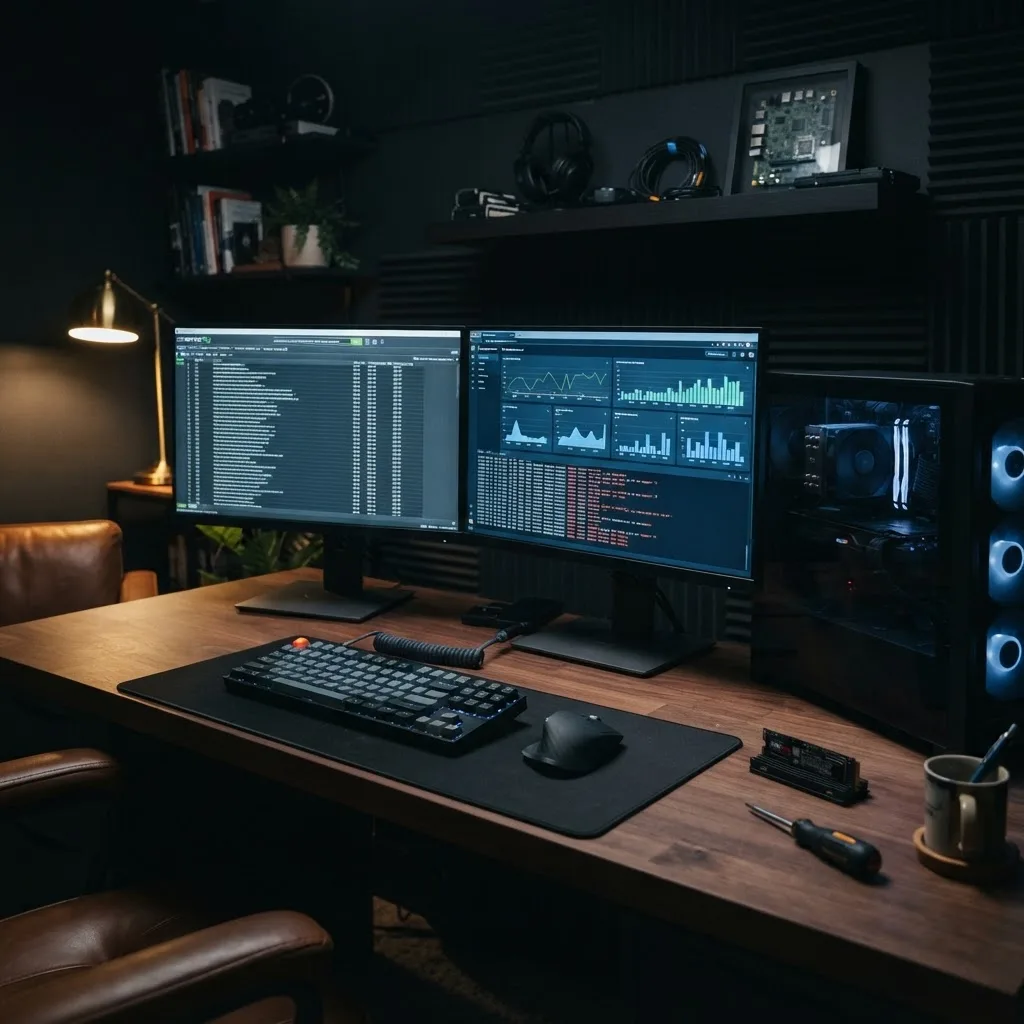
SEO Computers: Choosing the Right Machine and Ranking a Computer Business Online
SEO computers explained two ways: the hardware specs that genuinely speed up SEO work, and how computer businesses rank for the searches that bring customers.
Priya Raghunathan, Technical SEO Lead
Author
The phrase seo computers gets searched by two completely different people. One is an SEO professional or agency owner trying to figure out what machine actually handles crawling a two-million-URL site without falling over. The other is a computer repair shop, IT provider, or PC builder trying to rank for the searches that bring paying customers through the door.
I have been on both sides. I run technical SEO for enterprise sites, which means I have destroyed more than one underspecced laptop with a crawl. I have also spent four years handling search for a chain of computer service shops. This article covers both, honestly, with the actual numbers.
Part One: What SEO Work Actually Demands From a Computer
There is a persistent myth that SEO is light work because it happens in a browser. That is true for keyword research and false for everything technical. Site crawling, log file analysis, large-scale data processing, and rendering-enabled audits are among the more resource-hungry tasks in digital marketing.
Here is a real measurement. Crawling a 480,000-URL e-commerce site with JavaScript rendering enabled on a desktop crawler consumed 21 GB of RAM at peak on my machine and took just under six hours. On a 16 GB laptop, the same crawl either paged to disk and slowed to a crawl or died outright. That is not a preference issue. That is a hard wall.
Where the time actually goes.
In a typical technical week, I spend the heaviest compute on rendered crawls, log file parsing of multi-gigabyte server logs, spreadsheet or dataframe work on exports of several hundred thousand rows, and running local scripts against APIs. Browser tabs are the smallest part of it, though thirty of them do add up faster than people expect.
RAM Is the Specification That Matters Most
If you take one thing from this section: prioritize memory over everything else. RAM is the constraint that turns a four-hour crawl into a failed crawl.
My guidance based on actual workloads: 16 GB is a floor for content-focused SEO work with light crawling under 50,000 URLs. 32 GB is the practical minimum for anyone doing regular technical audits on mid-sized sites. 64 GB is what I recommend for agency technical leads and anyone routinely crawling sites above 500,000 URLs with rendering on. I moved from 32 to 64 GB in 2023 and my average full-audit turnaround dropped from about two days to one, purely because I stopped babysitting failed crawls.
Storage: fast, and more than you think.
Crawl databases are enormous. A single large rendered crawl can consume 40 to 120 GB of scratch space. NVMe SSD is non-negotiable — crawl performance is heavily disk-bound during database writes, and I have measured roughly 2 to 3x faster crawl completion moving from SATA SSD to NVMe on identical hardware. I keep 2 TB internal and archive finished projects externally.
CPU: cores help, but not linearly.
Modern crawlers parallelize well up to a point. Eight performance cores is a sensible target; sixteen helps on very large rendered crawls but the returns taper. I would take 64 GB of RAM with 8 cores over 32 GB with 16 cores every time for this specific work.
Displays do more for productivity than any component.
Two 27-inch displays at minimum, or one 34-inch ultrawide. Technical SEO is constant cross-referencing — crawl data on one side, live page or Search Console on the other. When I finally moved from a single screen to dual, my audit throughput improved noticeably and my error rate dropped, because I stopped alt-tabbing between datasets and misreading rows.
Mac, Windows, or Linux for SEO Work
I use all three and the honest answer is that it depends on how much scripting you do.
Apple Silicon Macs are excellent for the RAM-per-watt ratio and run most major crawlers well, and the unified memory architecture handles large datasets gracefully. The catch is that memory is not upgradeable, so you must buy your ceiling on day one. A 16 GB Mac will limit your technical work permanently.
Windows workstations win on upgradability and price per gigabyte. I can put 128 GB in a desktop for a fraction of what the equivalent Mac configuration costs, and some log analysis and enterprise tooling still assumes Windows. For a fixed-desk technical role, this is usually the value choice.
Linux is where I run heavy scripted pipelines, containerized crawlers, and anything involving custom data processing. If your workflow involves real programming, the tooling friction is lowest here. Much of what I automate for clients ends up as scheduled jobs rather than desktop work anyway — running crawls, monitoring, and reporting as services through proper cloud solutions removes the hardware question entirely for recurring tasks.
When the cloud beats buying hardware.
For anything scheduled or recurring, a cloud instance is cheaper and more reliable than a machine on your desk. I run monthly monitoring crawls on rented compute and keep local hardware for interactive, exploratory work where latency matters. Teams building internal dashboards on top of that data usually need real web applications rather than another spreadsheet, and moving reporting into a proper app has saved my team roughly a day a month in manual assembly.
Building Your Own Tooling Instead of Buying More Seats
At a certain scale, licensing costs exceed development costs. I hit that point when our agency was paying for six seats of three tools and using maybe a third of the feature set.
We built an internal monitoring dashboard that pulls Search Console, crawl status, and uptime data into one view. It was not glamorous — a straightforward stack with an API layer and a database — but it replaced two subscriptions and gave us alerting nobody sold. Teams doing this typically need solid MERN stack development capability or an equivalent, plus someone who understands the data model.
Content operations tooling pays off too.
Managing content at scale across dozens of clients fell apart in spreadsheets. Moving editorial workflow into a headless CMS with a proper approval pipeline through Strapi CMS website development cut our publishing errors dramatically and made handoffs traceable.
Where AI genuinely helps and where it does not.
I use language models for clustering large query sets, drafting schema, summarizing log anomalies, and first-pass classification of thousands of URLs. Those tasks are pattern work and models are good at them. I do not use them for final judgment calls on site architecture or for writing anything customer-facing without heavy editing. Teams building serious internal automation around this usually need dedicated artificial intelligence services support rather than ad hoc prompting, because the value is in the pipeline, not the prompt.
Part Two: SEO for Computer Repair Shops and IT Businesses
Now the other audience. If you sell, build, or fix computers, your search opportunity is one of the most conversion-rich in local business, because intent is urgent. Someone whose laptop will not boot before a deadline is not comparison shopping for three weeks.
I handled search for a four-location computer service business from 2021 through 2025. Organic and map-sourced calls went from 190 a month to just over 700. Here is what actually mattered.
Urgency queries convert at multiples of informational ones.
Phrases containing today, near me, emergency, same day, and open now converted at roughly 4 to 6 times the rate of general research queries in our call data. We restructured the entire site around those, with clear same-day availability, honest turnaround times, and a phone number visible without scrolling on mobile.
Symptom pages outperform service pages.
Nobody searches for computer diagnostic services. They search for what is happening: laptop screen flickering, computer will not turn on, blue screen after update, laptop fan loud and overheating, data recovery from dead hard drive. We built one page per symptom, each explaining likely causes honestly, what we would check, a realistic price range, and turnaround time. Those symptom pages became our highest-converting entry points by a wide margin — roughly 60 percent of organic conversions by year two.
Publish real price ranges.
This terrified the owner and it was the single best decision we made. Transparent ranges cut unqualified calls by about 30 percent while raising booked-job rate per call. People self-select. Hiding prices does not protect margin; it wastes your phone staff's day.
The Trust Layer That Sells Computer Services
Computer repair sits in a trust deficit. Customers have been burned by shops that held their machine for three weeks or wiped their photos. Your site has to defuse that before the phone rings.
What worked for us, measurably: named technicians with actual certifications listed, a written no-fix-no-fee policy, an explicit data privacy statement, photos of the actual workbench and shop interior, and a clear explanation of the diagnostic process. Adding technician bios with real credentials lifted our contact page conversion rate by about 18 percent in the quarter we tested it.
Reviews carry outsized weight in this category.
We asked at pickup, in person, with a card. Steady volume with specifics — the model, the problem, the turnaround — beat generic five-star bursts. Detailed reviews also fed the long-tail queries we were targeting, because customers naturally wrote things like recovered my data from a dead SSD in two days.
Presentation matters more than owners expect.
A shop that looks like it was designed in 2011 loses credibility instantly against a competitor with a clean, fast site. Investing in current website design paid back faster than any content we published, and the mobile booking flow rebuild that came with it was responsible for a meaningful chunk of the call growth.
Local Visibility for Computer and IT Businesses
Your Google Business Profile is the highest-leverage asset here, because urgent local searches resolve in the map pack.
Get the primary category exactly right — Computer Repair Service, Computer Store, and IT Services are different result sets with different competitors. Populate services with the actual work you do, including the specific ones like data recovery, virus removal, screen replacement, and custom builds. Add real photos of the shop and the bench monthly. Keep hours accurate, especially holiday hours, since urgency-driven searchers check them.
Serve the business side separately.
Residential repair and managed IT services for businesses are entirely different buyers with different query patterns, price expectations, and sales cycles. We built a separate section for business services with case studies and response-time commitments, and it produced our highest-value contracts. Business buyers care about response SLAs, security posture, and continuity — messaging that overlaps heavily with cybersecurity and infrastructure concerns rather than screen replacement pricing.
Sell online without cannibalizing the shop.
Refurbished machines, accessories, and custom builds are real revenue for computer businesses, and product-level search demand is substantial. Setting that up properly through capable ecommerce solutions with unique product descriptions, real photos, and correct structured data brought in a revenue stream that had a completely different seasonality from repair work, which smoothed cash flow considerably.
Content Strategy for Technical Businesses
The temptation in this industry is to write generic tech news. It does nothing. What works is content that demonstrates hands-on competence with the specific problems your customers have.
Our best-performing pieces were things like a comparison of upgrade versus replace economics for specific laptop model years, an honest guide to what data recovery can and cannot retrieve, an explanation of which failure symptoms mean stop using the machine immediately, and a walkthrough of what actually happens during a virus removal.
Show the work.
Photos of a real repair in progress, an annotated diagnostic readout, a before-and-after benchmark. This is where technical businesses have an advantage almost nobody uses — you have genuinely interesting evidence sitting on your bench every day.
Distribute beyond search.
Our repair explainers performed well in local community groups and on video, and consistent social media management turned a static content library into a recurring lead source. Content that only waits for crawlers takes three times longer to pay off.
Frequently Asked Questions About SEO Computers
What is the minimum computer specification for professional SEO work?
For technical SEO, 32 GB of RAM, an NVMe SSD with at least 1 TB, eight performance cores, and two monitors. For content and strategy roles without heavy crawling, 16 GB is workable. Do not buy 8 GB for any professional SEO role in 2026.
Is a laptop or desktop better for SEO?
Desktops give more RAM and storage per dollar and better sustained performance during long crawls. Laptops win if you present or travel. My arrangement is a well-specced desktop for heavy work and a modest laptop for everything else, with shared cloud storage between them.
Do I need a graphics card for SEO?
No. GPU is largely irrelevant to crawling and data work. Spend that budget on RAM and storage instead. The exception is if you also produce video or run local AI models, which changes the calculation entirely.
How do computer repair shops rank for local searches?
Fix and actively maintain the Google Business Profile with the correct primary category, build symptom-based pages rather than generic service pages, publish transparent pricing and turnaround times, collect detailed reviews steadily, and make the mobile phone and booking path frictionless.
How long does SEO take for a computer business?
Map pack improvements often appear within 60 to 90 days of serious profile work. Symptom pages typically take three to five months to mature. Meaningful, attributable call volume change usually lands between months four and six.
Should a computer business run ads while doing SEO?
Yes, for urgent high-intent queries, at least initially. Ads give you conversion data in weeks that would take months to gather organically, and that data tells you which symptom pages to build first. Coordinating both under a single digital marketing plan avoids paying twice for the same keyword.
Final Thoughts
Both meanings of seo computers come down to removing friction. On the hardware side, that means buying enough memory and fast enough storage that your tools stop being the bottleneck, and pushing recurring work to cloud compute so your desk machine is for thinking, not waiting.
On the business side, it means understanding that someone searching about a dead laptop is in a small window of urgency, and the shop that answers their exact symptom clearly, prices it honestly, and makes calling easy will win that job regardless of who has more backlinks.
I have spent years on both problems, and the pattern is identical. Specificity wins. Vagueness — in a spec sheet or on a service page — is what costs you.
More from Technology
Continue exploring our curated collection of articles

modern seo
How modern SEO actually works in the AI search era, based on 18 months of traffic data across 40 sites, including what stopped working and what never changed.

How AI Is Reshaping SEO and Content Marketing
Discover how AI is reshaping SEO and content marketing, from generative search and intent modeling to automated content workflows, E-E-A-T, and measurable results.
Web Designer Company: About, Services, and What We Do
Discover what a professional web designer company actually does, the services it offers, and how the right partner turns your ideas into a fast, accessible, revenue-driving website.